Setup guide
From the box to your desk in about 5 minutes. Follow the four steps below; the full guide, with every screen and feature, is in the PDF.
Before you start
| You will need | Details |
|---|---|
| An AI coding tool | Claude Code, Codex, GitHub Copilot CLI, Gemini CLI, OpenCode or Cursor, on macOS, Windows or Linux. None yet? Miblo installs anyway and you connect one later. |
| 2.4 GHz Wi-Fi | The same network as your computer, with WPA2. 5 GHz-only or WPA3-only networks don't work. |
| A phone | With a camera, to scan the QR code on the screen. |
| A USB power supply | 5 V / 1 A, straight into the wall. A laptop port or an unpowered hub can make Miblo restart. |
Miblo shows the sessions of every connected tool in one list. Cloud sessions (such as claude.ai/code) don't run on your computer and don't reach Miblo.
1. Plug Miblo in
Connect the USB cable. After the start-up animation, the screen shows a QR code and a network name, Miblo-Setup-XXXX.
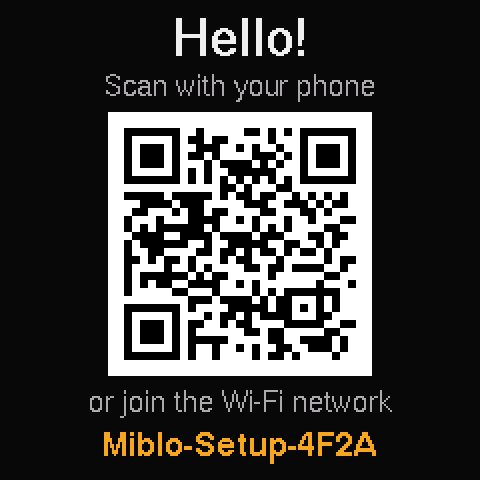
The Wi-Fi setup screen
2. Connect it to your Wi-Fi
- Point your phone's camera at the QR code and join the Miblo-Setup-XXXX network.
- The setup page opens by itself. If it doesn't, go to 192.168.4.1 in your phone's browser.
- Pick your network, type the password and tap Connect. The time zone and language come from your phone.
- Once connected, the screen shows “Wi-Fi connected”, the 4-digit pairing code and Miblo's IP. Leave that screen on.
3. Install it on your computer
macOS 11 or newer · Apple silicon and Intel · .dmg
The first time
- Open the downloaded file and drag Miblo to Applications.
- Open Miblo. macOS says it could not verify the app: click Done.
- Go to System Settings › Privacy & Security and click Open Anyway. Confirm with your password.
Prefer the terminal?
Open Terminal and paste:
curl -fsSL https://miblo.ai/dl/install.sh | shDownload the Miblo app for your system (above) and open it. The first time, your system may warn that the app is not signed yet: the steps to open it are right under the button.
The app finds your AI coding tools, installs Miblo and turns on automatic updates. For each tool it finds you choose whether its sessions show on Miblo. It never asks for an administrator password.
4. Pair
At the end, the app shows the Miblos on your network, like a Wi-Fi list. Pick yours: it shows its 4-digit code on screen, and you type it in the app. Found none? The app tells you what to check and takes the IP shown on the screen.
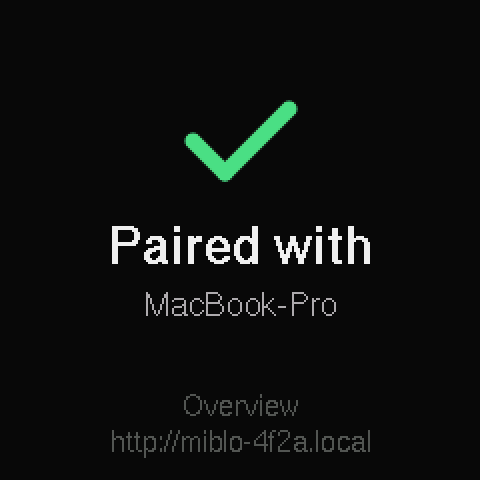
Paired: you're done!
- Open your AI tool (restart it if it was open). Sessions show with your next activity.
- Use Claude Code? To see its 5-hour and weekly limits, type /miblo:link-statusline in Claude Code. Your status line stays the same.
- Closed the app halfway? Open it again: it picks up where it left off.
What next
/miblo:settings- Opens the settings page: the pet (there are 20), colours, accessories, alerts, language (there are 7) and more.
/miblo:setup<codex | copilot | gemini | opencode | cursor>- Shows another AI tool's sessions on Miblo.
/miblo:phoneon- The phone app, optional and end-to-end encrypted: sessions, alerts and limits on your phone.
/miblo:focus- A 25 and 5 minute focus session (Pomodoro), with the time big on the screen.
/miblo:update- Updates the plugin and Miblo over Wi-Fi, with the code on the screen.
Common problems
| What happens | What to do |
|---|---|
| “Network not found” | Miblo only sees 2.4 GHz networks. Turn that band on in your router or move closer to it. |
| “Connection refused” | Check the password. If the router uses WPA3 or WPA2/WPA3 mixed mode, switch it to WPA2. |
| The app finds no Miblo | Check that it shows the code and is on the same network as your computer. On a VPN, WSL or a corporate network, type the IP from the screen. |
| No limits on the screen | Run /miblo:link-statusline. Limits show after the next response, on the Pro and Max plans. |
| It restarts by itself | Use a 5 V / 1 A power supply straight into the wall. |
Still stuck? Email contato@miblo.ai and tell us what Miblo's screen shows.